
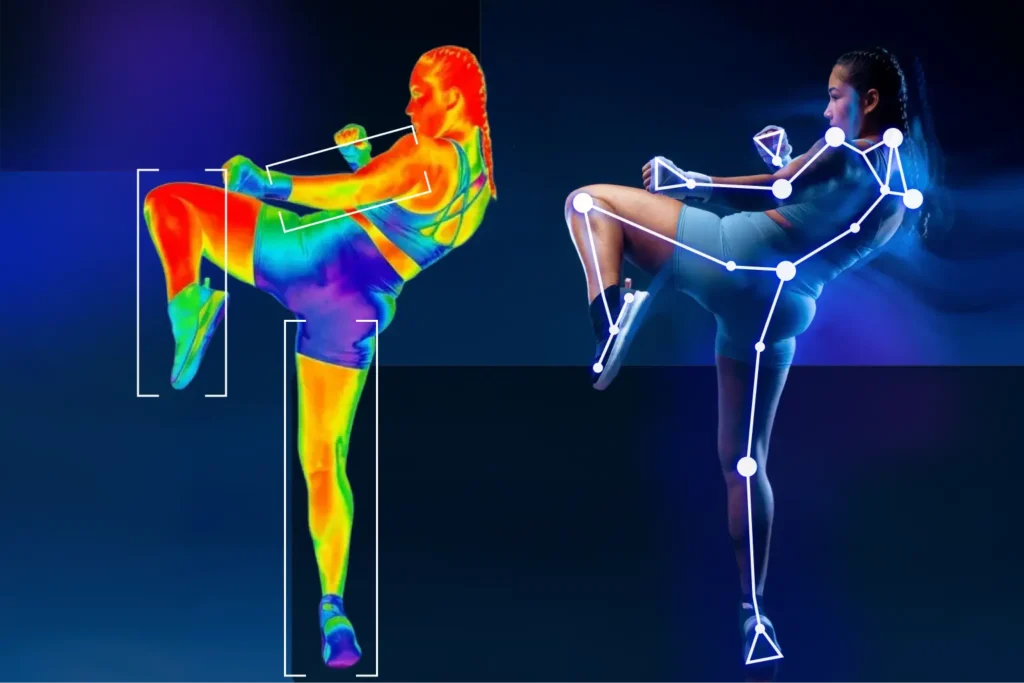
MediaPipe Pose Estimation for Sports Apps: Deep Dive, Deployment, and Limitations


Human pose estimation has emerged as a cornerstone technology in next-gen fitness and video analysis applications. For sports startups and developers building AI-powered coaching or performance tracking apps, real-time posture and movement analysis unlocks new value far beyond step counters or GPS tracking. Pose estimation is becoming foundational in AI-powered sports training where real-time feedback and motion tracking outperform legacy wearables.
Among available pose estimation frameworks, Google’s MediaPipe stands out as a popular choice for mobile-first MVPs. It’s fast, lightweight, and surprisingly production-ready but it also comes with its own quirks and architectural trade-offs. This article explores:
- Why MediaPipe is often chosen for sports AI prototypes
- How it compares to alternatives like OpenPose, ARKit Vision, and MoveNet
- Common pitfalls when deploying MediaPipe on iOS and beyond
- How to turn raw pose data into actionable video analysis and performance insights
Why MediaPipe Is a Go-To for Sports MVPs
MediaPipe is more than a pose estimation model. It’s a graph-based perception framework optimized for real-time mobile video analysis pipelines. Sports app developers choose MediaPipe for its:
- Fast experimentation loop: Python prototype to mobile integration in days
- Out-of-the-box pipelines: Pose, hands, face, and holistic models ready to deploy
- Efficient on mobile: Runs on CPU or GPU with low latency (30+ FPS on mid-range phones)
- On-device privacy: Enables edge-based video analysis without cloud compute
That said, MediaPipe only provides raw pose estimation landmarks. To deliver sports-specific insights, developers must implement domain logic like biomechanical metrics, rep counting, and performance scoring.
What MediaPipe Enables in Sports Apps
- Posture and alignment feedback through pose estimation
- Phase segmentation (e.g. analyzing stages of a golf swing)
- Timing, symmetry, and video analysis for athlete movement
What MediaPipe Doesn’t Do Natively
- Detect or interpret equipment (e.g. racket, club, bat)
- Deliver actionable coaching feedback out of the box
- Provide sports semantics – those must be manually built
Pose vs Holistic Models
- Pose model: Easier to integrate, supports multiple people, but can misidentify limbs
- Holistic model: More stable anatomically, includes face and hands, but single-person only
Framework Comparison: MediaPipe vs OpenPose vs ARKit vs MoveNet
| Feature | MediaPipe (BlazePose) | OpenPose | Apple Vision Framework | MoveNet |
| Platform Support | Android, iOS, Web, Desktop | Cross-platform (GPU required) | iOS only | Android, iOS, Web |
| Performance | Real-time (30+ FPS) | GPU-dependent, slower | 60 FPS on iPhones | Real-time mobile |
| Accuracy & Keypoints | 33 landmarks | 25+ landmarks | 19 joints | 17 landmarks |
| Multi-Person Tracking | Limited | Excellent | Single person | Single person |
| 3D Depth Capability | 2.5D relative depth | Mostly 2D | Full 3D if LiDAR | 2D only |
| Ease of Integration | Easy for basics; harder for custom pipelines | Complex; research-focused | Seamless for iOS only | Developer-friendly |
Tech Pitfalls: Limitations of MediaPipe in Sports Video Analysis
While MediaPipe performs impressively in ideal conditions, developers should be aware of its limitations in real-world sports contexts:
Model Accuracy and Depth
- BlazePose is not anatomically constrained
- Depth estimates can be unstable or noisy
- 2D overlays look clean but don’t translate well to biomechanics
- Limb orientation may flip (e.g. arm facing camera vs away), which breaks 3D interpretation
Multi-Person and Occlusion Challenges
- Holistic model only tracks one person
- Pose model handles multiple users but can randomly flip limbs direction if they point towards or away from camera
- Hands may appear disconnected or incorrectly matched when athletes overlap
- Extra limbs or partial hands in frame cause rapid degradation; If three hands are visible – expect failure
Sports-Specific Edge Cases
- Detection range is limited for distant players (e.g. on a tennis court)
- Equipment (rackets, clubs, bats) often confuse the model
- Two close hands holding a device may appear unrealistically far apart in 3D, which indicates underrepresentation of such cases in training data
- Side angles or fast spins reduce tracking fidelity
Eye and Face Tracking
- Assumes symmetrical eye movement
- Model may mirror or misinterpret one eye
- Uneven gaze tracking due to dataset imbalance
For developers working on face-centered features like eye state or attention detection, Apple’s native Vision Framework offers an alternative with better depth and stability in iOS-only contexts.
These gaps are why advanced sports and healthcare apps often evolve past MediaPipe’s stock models.
From Pose Estimation to Sports Insights
Landmarks alone don’t deliver value. A production-grade video analysis or fitness AI solution needs:
- Smoothing and stabilization to remove jitter
- Multi-view merging for more accurate 3D insights
- Sport-specific metrics (e.g. joint symmetry, sequencing)
- Pose retargeting to compare against an ideal motion pattern
MediaPipe offers great signal quality, but interpretation still happens downstream. Turning that signal into a sports product requires domain expertise and product design.
Techniques adapted for athlete motion have also proven effective in assessing motor symptoms during neurological movement analysis.
Deploying MediaPipe to iOS and Other Platforms
MediaPipe’s cross-platform promise includes iOS, Android, web, and desktop. But iOS presents specific technical challenges:
- Uses Bazel for builds, not CocoaPods or SwiftPM
- Requires building custom frameworks in C++
- Real-time runs at ~30 FPS, but UX suffers without smoothing and gating logic
Still, the benefits are compelling: no cloud, fast on-device pose estimation, and strong privacy compliance. Developers experimenting with MediaPipe’s native API can explore a minimal working example in this C++ starter tutorial.
For Android, MediaPipe is available via Gradle or precompiled AARs. On the web, MediaPipe.js runs directly in-browser using WebAssembly, making lightweight video analysis available with no installation.
Signs You’ve Outgrown MediaPipe
When do you need something beyond MediaPipe?
- Multi-person tracking must be stable and identity-aware
- Sport-specific insights require complex kinematics
- Quality must be predictable across hardware
- Precision is essential for clinical or rehabilitation use
Building sports apps that can handle real-world edge cases, from occlusion to equipment interference, often requires more than off-the-shelf tools.
Conclusion
MediaPipe is a flexible, efficient, and surprisingly powerful tool for real-time pose estimation and video analysis in sports and fitness apps. Its unique architecture and mobile-first design make it ideal for MVPs and on-device intelligence. But successful deployment requires more than plugging in a model. You’ll need to:
- Build post-processing for stability and interpretability
- Design your analytics pipeline for real-world edge cases
- Understand when MediaPipe is sufficient and when it’s time to go custom
For companies scaling beyond MVPs, we help deliver robust sports ai solutions that translate motion into measurable outcomes.