SAM Audio: Redefining Sound with Multi-Modal AI

The Moment Audio Caught Up with Vision

If you’ve ever tapped on a person in an Instagram photo and watched them lift cleanly from the background as a sticker – that’s Meta’s Segment Anything Model working quietly behind the scenes. Instagram’s Cutouts feature, confirmed by Meta to be built on SAM, turned what used to be a careful manual masking job into a single tap. And with SAM 3, released in late 2025, the model took another step: it added text prompting. Instead of clicking, you can now type “yellow school bus” into a video and the model finds it, segments it, and tracks it through every frame. Now Meta has brought the same thinking to audio.

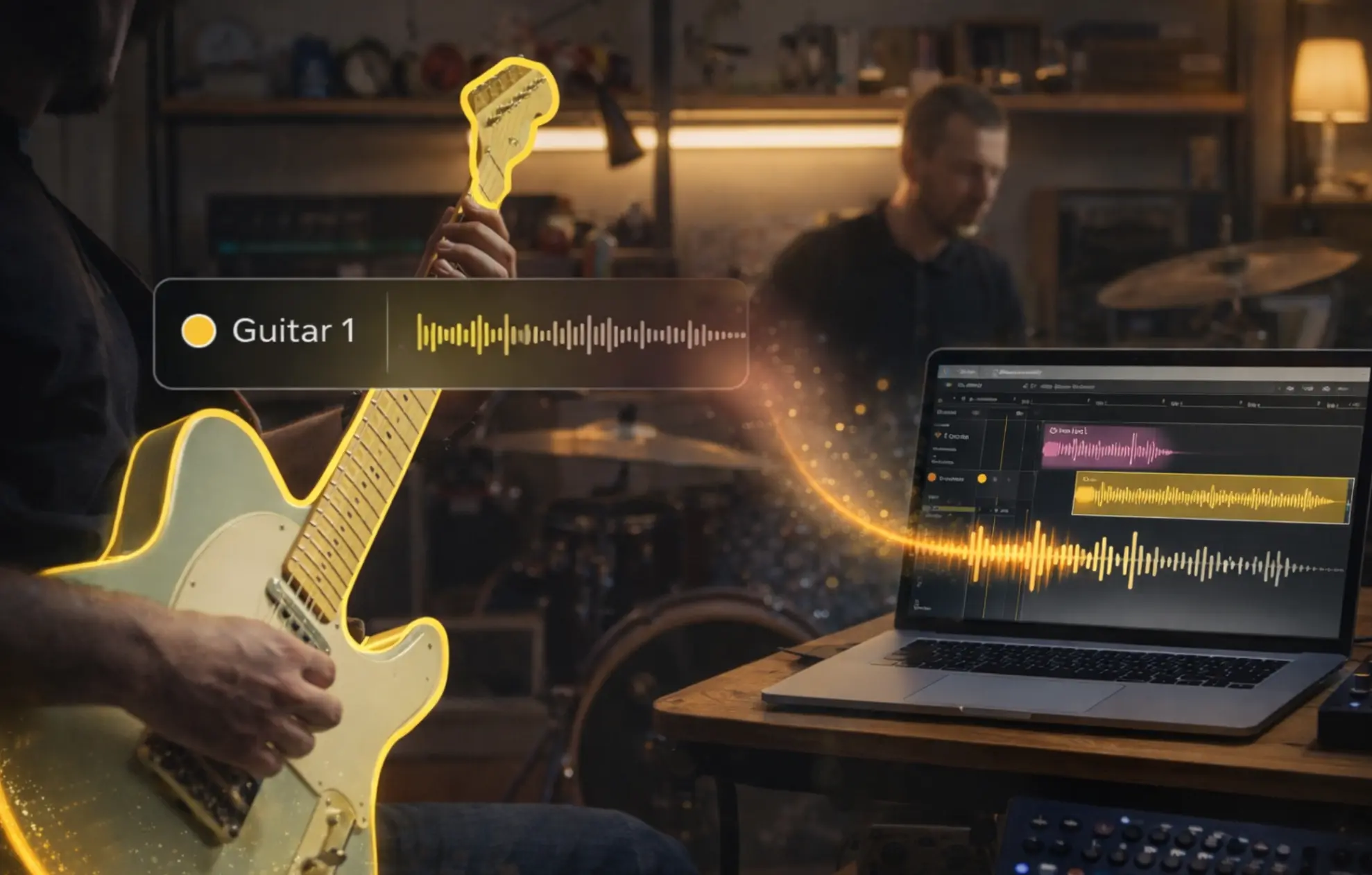
SAM Audio, released by Meta’s Superintelligence Labs in December 2025, does for sound what SAM did for images. Describe it, point to it in a video frame, or mark a moment in the timeline of a waveform where it’s clearly audible and the model separates it from everything else. One model covering tasks that previously each required their own specialized system: speech denoising, stem separation, speaker diarisation, instrument isolation, arbitrary sound extraction – the full range of audio processing services now addressable through a single promptable interface. As a foundation in multi-modal ai, it unifies text, vision, and temporal cues into a single generative system for sound. In this blog, we’ll walk through what the model can do, how well it actually performs in practice, and what the paper contributes to the audio AI field – including some details worth paying close attention to if you’re thinking about integrating or building on this technology.


Tell It What You Want: Three Ways to Talk to SAM Audio

The most natural way to think about SAM Audio is as a model with three different input channels, each suited to a different situation. They can be used independently or combined for more precise control.

Text prompt 

The simplest starting point. You type what you want to extract. “acoustic guitar,” “crowd noise,” “male speech,” “violin section”, and the model does its best to find and isolate that sound within the mix. In practice, this turns the system into a powerful ai audio separation engine that behaves almost like a search bar for sound. This works well when the target is easy to describe and acoustically distinct from everything else around it. Think of it as a search bar for sound: most of the time, good enough phrasing gets you what you need. Where it starts to struggle is when the target is hard to pin in words, like close variants of similar sounds, for example, or a specific effect within a dense soundscape where text alone can’t fully disambiguate what you’re after. For similar-sounding targets coexisting in the same mix the video mask prompt is usually the handiest approach

Video mask 

When there’s accompanying video, this prompting mode becomes genuinely powerful. Instead of describing the sound, you show the model where it’s coming from. Click on the drummer in the frame, draw around the guitar amplifier, tap on the speaker whose voice you want to isolate and the model extracts the audio associated with that visual region. For anyone working with video content, this replaces what would previously have required access to the original multitrack sessions. You just point. Although, for musicians searching for a particular sound effect, span prompting is where it gets most interesting and truly becomes an audio-native tool.

Span prompt 

This is the most distinctive feature, and the one most worth understanding if you’re a sound engineer or producer. Instead of describing the sound or pointing to a visual source, you highlight a short segment of the audio timeline – a moment where the target sound is clearly audible and relatively isolated. That segment becomes a fingerprint. The model uses it to find and extract acoustically similar material throughout the rest of the recording. Think of a field recording where a specific bird call appears and disappears across a 10 min of material, or a backyard capture where you want to pull out just the sound of wind rattling a piece of metal, a texture you heard once clearly, buried somewhere in the mix. Find one clean moment where it’s audible, mark it, and the model hunts it across the whole track, isolating from residual sounds. 

All three modes can be combined in any pair variation or be used independently.


How Good Does It Actually Sound?

This is the question that matters most for anyone considering using the model in a real workflow, and it deserves an honest answer rather than a recitation of benchmark numbers.

The first thing to understand is that SAM Audio is a generative model. It doesn’t carve a sound out of a mix the way a mask-prediction model would. It synthesizes a new version of the target sound, conditioned on the mixture and the prompt. This is an important distinction when it comes to evaluation. The standard objective metric for separation quality is SDR (Signal-to-Distortion Ratio), which works by comparing the model’s output sample-by-sample against a clean reference recording of the target sound. But since SAM Audio generates rather than extracts, even minor differences in timing between the output and the reference, things that are completely imperceptible to a human listener, cause SDR scores to drop. Comparing SAM Audio’s raw SDR numbers against those of a mask-based discriminative model is like comparing two different kinds of instruments on a scale calibrated for only one of them. The paper acknowledges this directly, which is part of why the authors developed new evaluation methods (more on that in the next section).

With that caveat in mind, across the benchmarks where comparison is meaningful  (general sound separation, speech, music, and instrument separation in both in-the-wild and professionally produced recordings) – SAM Audio outperforms prior general-purpose models and reaches competitive or state-of-the-art performance against specialized systems that were purpose-built for a single domain. That’s a significant result: one model beating tools that were designed to do only one thing.

In real-world use, though, there’s a practical nuance worth knowing. The training data included not only high-quality studio recordings but also a large volume of medium-quality video audio,  the kind of material you’d find on the internet, recorded with phone microphones in noisy environments. This is actually what gives the model its broad generalization ability. But it also means the model has learned many sounds as they typically exist in the wild: embedded in their natural context, surrounded by ambient noise. When you try to isolate something like an ambulance siren, or the sound of a passing train, or distant crowd noise (sounds that in real recordings almost never appear in silence) – you’ll often find that the extracted result carries some of that environmental texture with it. The model isn’t doing something wrong; it’s producing what it learned is a realistic version of how that sound exists in the world. It’s something to factor in when choosing whether SAM Audio is the right tool for a given task, versus a more specialized model trained on cleaner data for a specific domain.

Under the Hood. What the Paper Actually Contributes

From here, we’re getting more technical. This section is aimed primarily at deep learning engineers and researchers. The paper makes contributions in four areas worth looking at closely: the generative architecture, span prompting, a new automatic evaluation model, and a new approach to subjective evaluation.

Architecture

SAM Audio is built on a Diffusion Transformer trained with flow matching. The core framing is important: the source audio mixture is not the direct input being processed – it’s a conditioning signal. The model learns to generate the target stem by iteratively refining from noise, guided jointly by the audio mixture and the user’s prompt. This is fundamentally different from the mask-prediction paradigm that has dominated audio separation (Demucs, MossFormer2, and most production-grade separation tools fall into this category). Those models effectively learn a filter: given the mixture, predict a mask that when applied recovers the target. SAM Audio doesn’t filter – it generates. The architecture is much closer to how modern music or image generation models work, where the source material conditions the generation process rather than being directly transformed. Prompt encodings – text via a language encoder, video via visual features from masked regions, spans by tokens aligned to audio frames – are all injected as conditioning into the Diffusion Transformer alongside the mixture representation.

Span prompting

Technically, span conditioning works by converting the selected time intervals into a frame-synchronous binary token sequence. Each frame is marked as either silent (<sil>) or active (+) depending on whether the target event is present. This sequence is embedded via a learnable embedding table and concatenated channel-wise with the audio features before entering the DiT backbone, giving the model an explicit temporal prior about when to extract rather than what the sound is. This is fundamentally different from reference-based speaker extraction methods, which require a clean enrollment recording of the target source. SAM Audio needs only a timestamp.

One particularly useful implementation detail from the paper: when a user provides only a text prompt, it can use a secondary model called PEA-Frame that automatically predicts the frame-level activity of that sound event within the mixture and feeds it back as span conditioning. The paper shows that joint text + span conditioning consistently outperforms text-only prompting, so when you describe a sound in words, the model can quietly upgrade itself to also know when that sound is happening.


SAM Audio Judge (SAJ)

Evaluating GENERATIVE separation models is genuinely hard. SDR requires a clean reference, which doesn’t exist for real-world recordings, and is also biased against generative outputs for the timing reasons described above. CLAP similarity – another reference-free metric that measures how well the output matches the text description in an embedding space – turns out to correlate poorly with actual human judgment of separation quality, as the paper demonstrates. SAJ is a model trained directly on human perceptual quality annotations. It takes a mixture, text prompt and a separated output and predicts a quality score without needing a reference, and its predictions correlate much more strongly with human listening test results than CLAP similarity does. This matters well beyond SAM Audio itself – SAJ is a genuinely useful contribution to anyone working on audio separation evaluation, providing a way to assess real-world separation quality without the constraints of synthetic benchmarks.

Subjective evaluation protocol 

The paper also rethinks how listening tests are designed for this class of model. This is a harder problem than it looks, and the paper redesigns the evaluation protocol from scratch rather than reaching for the standard tools.

MUSHRA (the traditional approach) requires a clean reference stem to compare against, which simply doesn’t exist for real in-the-wild recordings. Single-stimulus MOS tests avoid that dependency but are poorly sensitive to small differences between models and prone to anchoring drift across a session. The paper sidesteps both with a side-by-side Absolute Category Rating protocol with an always-on preference tie-breaker. Listeners see two model outputs for the same input alongside the original mixture and prompt, scoring each independently across three dimensions: Recall (how much target made it into the extraction), Precision (how much non-target leaked in), and Faithfulness (how similar the extracted sound is to the original mix). They then answer a forced-choice preference question regardless of whether their numerical scores already differ. The SAJ model described earlier was trained to predict these exact human scores – which is why it correlates so much more strongly with listener judgment than SDR or CLAP similarity. The subjective protocol isn’t just a validation step; it’s the foundation the automatic metric was built on.

Taken together, the target sound separation field has been dominated by discriminative, mask-predicting models. SAM Audio is a fully generative pipeline end-to-end – the first foundation model of this kind that unifies text, visual, and temporal span prompting in a single framework, and that matches or exceeds specialized systems across multiple domains simultaneously.

Conclusions

SAM Audio is a meaningful step for the audio AI field as a genuine foundation model that consolidates tasks previously requiring separate specialized systems into one flexible, promptable interface, covering speech, music, and general sound.

The real excitement, though, is what comes next. A model like this is a building block. It enables agents that can understand audio contextually and respond to natural language instructions – a mix engineer describing what they want rather than reaching for a plugin, a post-production workflow that can process field recordings based on spoken instructions, a creative tool for musicians that lets them explore separation as part of composition. The combination of span prompting with generative quality opens up use cases that simply weren’t possible before.

If you’re also evaluating the generation side of the same 2026 open-source wave — which models produce full songs from lyrics or prompts, how they license, and which are actually ready to build on — our open-source music generation model comparison covers eight models tested head-to-head.
MediaPipe Pose Estimation for Sports Apps: Deep Dive, Deployment, and Limitations

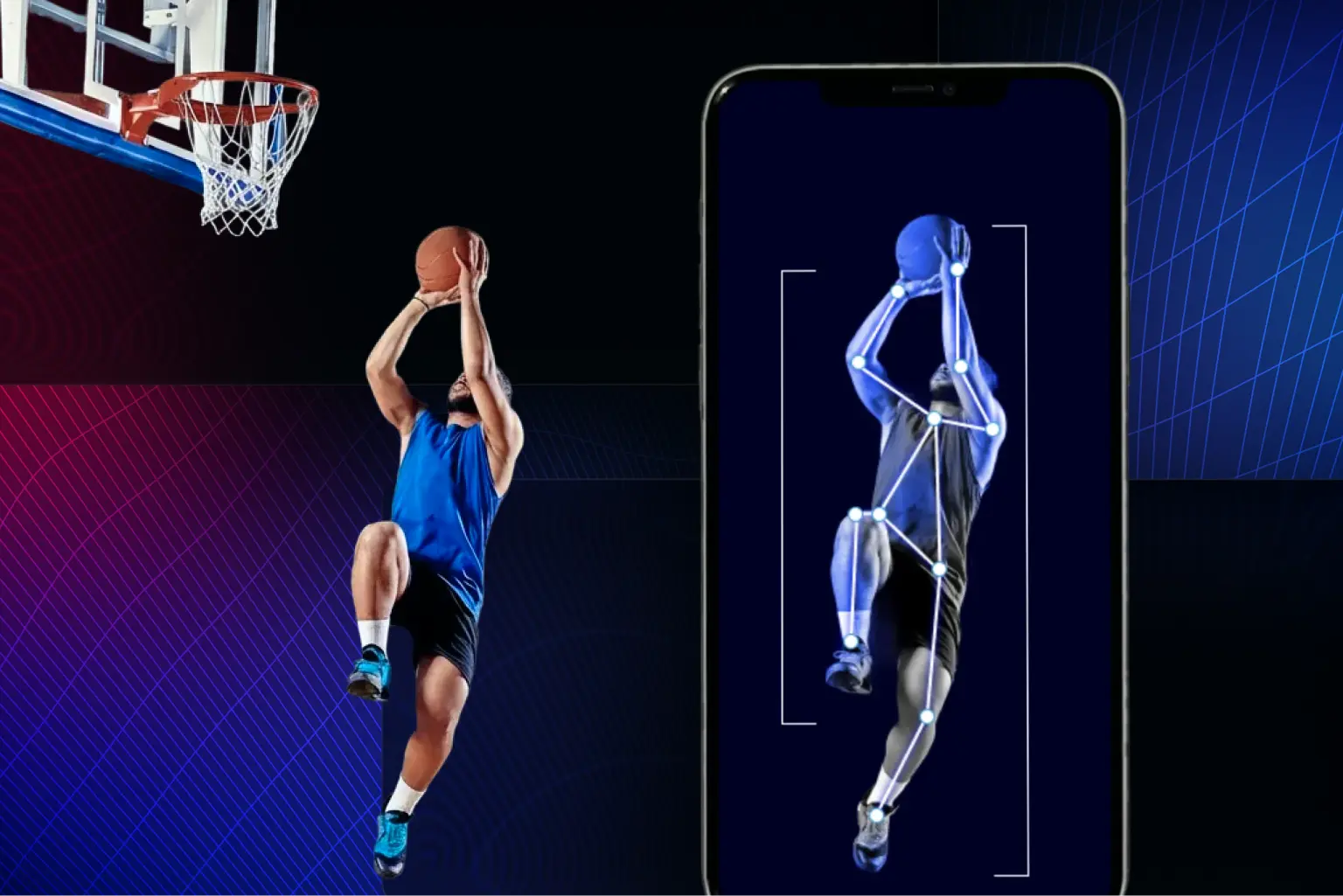
Human pose estimation has emerged as a cornerstone technology in next-gen fitness and video analysis applications. For sports startups and developers building AI-powered coaching or performance tracking apps, real-time posture and movement analysis unlocks new value far beyond step counters or GPS tracking. Pose estimation is becoming foundational in AI-powered sports training where real-time feedback and motion tracking outperform legacy wearables.

Among available pose estimation frameworks, Google’s MediaPipe stands out as a popular choice for mobile-first MVPs. It’s fast, lightweight, and surprisingly production-ready but it also comes with its own quirks and architectural trade-offs. This article explores:

  • Why MediaPipe is often chosen for sports AI prototypes
  • How it compares to alternatives like OpenPose, ARKit Vision, and MoveNet
  • Common pitfalls when deploying MediaPipe on iOS and beyond
  • How to turn raw pose data into actionable video analysis and performance insights

Why MediaPipe Is a Go-To for Sports MVPs

MediaPipe is more than a pose estimation model. It’s a graph-based perception framework optimized for real-time mobile video analysis pipelines. Sports app developers choose MediaPipe for its:

  • Fast experimentation loop: Python prototype to mobile integration in days
  • Out-of-the-box pipelines: Pose, hands, face, and holistic models ready to deploy
  • Efficient on mobile: Runs on CPU or GPU with low latency (30+ FPS on mid-range phones)
  • On-device privacy: Enables edge-based video analysis without cloud compute

That said, MediaPipe only provides raw pose estimation landmarks. To deliver sports-specific insights, developers must implement domain logic like biomechanical metrics, rep counting, and performance scoring.

What MediaPipe Enables in Sports Apps

  • Posture and alignment feedback through pose estimation
  • Phase segmentation (e.g. analyzing stages of a golf swing)
  • Timing, symmetry, and video analysis for athlete movement

What MediaPipe Doesn’t Do Natively

  • Detect or interpret equipment (e.g. racket, club, bat)
  • Deliver actionable coaching feedback out of the box
  • Provide sports semantics – those must be manually built

Pose vs Holistic Models

  • Pose model: Easier to integrate, supports multiple people, but can misidentify limbs
  • Holistic model: More stable anatomically, includes face and hands, but single-person only

Framework Comparison: MediaPipe vs OpenPose vs ARKit vs MoveNet

Feature MediaPipe (BlazePose) OpenPose Apple Vision Framework MoveNet
Platform Support Android, iOS, Web, Desktop Cross-platform (GPU required) iOS only Android, iOS, Web
Performance Real-time (30+ FPS) GPU-dependent, slower 60 FPS on iPhones Real-time mobile
Accuracy & Keypoints 33 landmarks 25+ landmarks 19 joints 17 landmarks
Multi-Person Tracking Limited Excellent Single person Single person
3D Depth Capability 2.5D relative depth Mostly 2D Full 3D if LiDAR 2D only
Ease of Integration Easy for basics; harder for custom pipelines Complex; research-focused Seamless for iOS only Developer-friendly


Tech Pitfalls: Limitations of MediaPipe in Sports Video Analysis

While MediaPipe performs impressively in ideal conditions, developers should be aware of its limitations in real-world sports contexts:

Model Accuracy and Depth

  • BlazePose is not anatomically constrained
  • Depth estimates can be unstable or noisy
  • 2D overlays look clean but don’t translate well to biomechanics
  • Limb orientation may flip (e.g. arm facing camera vs away), which breaks 3D interpretation

Multi-Person and Occlusion Challenges

  • Holistic model only tracks one person
  • Pose model handles multiple users but can randomly flip limbs direction if they point towards or away from camera
  • Hands may appear disconnected or incorrectly matched when athletes overlap
  • Extra limbs or partial hands in frame cause rapid degradation; If three hands are visible – expect failure

Sports-Specific Edge Cases

  • Detection range is limited for distant players (e.g. on a tennis court)
  • Equipment (rackets, clubs, bats) often confuse the model
  • Two close hands holding a device may appear unrealistically far apart in 3D, which indicates underrepresentation of such cases in training data
  • Side angles or fast spins reduce tracking fidelity

Eye and Face Tracking

  • Assumes symmetrical eye movement
  • Model may mirror or misinterpret one eye
  • Uneven gaze tracking due to dataset imbalance

For developers working on face-centered features like eye state or attention detection, Apple’s native Vision Framework offers an alternative with better depth and stability in iOS-only contexts.

These gaps are why advanced sports and healthcare apps often evolve past MediaPipe’s stock models. 


From Pose Estimation to Sports Insights

Landmarks alone don’t deliver value. A production-grade video analysis or fitness AI solution needs:

  • Smoothing and stabilization to remove jitter
  • Multi-view merging for more accurate 3D insights
  • Sport-specific metrics (e.g. joint symmetry, sequencing)
  • Pose retargeting to compare against an ideal motion pattern

MediaPipe offers great signal quality, but interpretation still happens downstream. Turning that signal into a sports product requires domain expertise and product design.

Techniques adapted for athlete motion have also proven effective in assessing motor symptoms during neurological movement analysis.

Deploying MediaPipe to iOS and Other Platforms

MediaPipe’s cross-platform promise includes iOS, Android, web, and desktop. But iOS presents specific technical challenges:

  • Uses Bazel for builds, not CocoaPods or SwiftPM
  • Requires building custom frameworks in C++
  • Real-time runs at ~30 FPS, but UX suffers without smoothing and gating logic

Still, the benefits are compelling: no cloud, fast on-device pose estimation, and strong privacy compliance. Developers experimenting with MediaPipe’s native API can explore a minimal working example in this C++ starter tutorial.

For Android, MediaPipe is available via Gradle or precompiled AARs. On the web, MediaPipe.js runs directly in-browser using WebAssembly, making lightweight video analysis available with no installation.

Signs You’ve Outgrown MediaPipe

When do you need something beyond MediaPipe?

  • Multi-person tracking must be stable and identity-aware
  • Sport-specific insights require complex kinematics
  • Quality must be predictable across hardware
  • Precision is essential for clinical or rehabilitation use

Building sports apps that can handle real-world edge cases, from occlusion to equipment interference, often requires more than off-the-shelf tools.

Conclusion

MediaPipe is a flexible, efficient, and surprisingly powerful tool for real-time pose estimation and video analysis in sports and fitness apps. Its unique architecture and mobile-first design make it ideal for MVPs and on-device intelligence. But successful deployment requires more than plugging in a model. You’ll need to:

  • Build post-processing for stability and interpretability
  • Design your analytics pipeline for real-world edge cases
  • Understand when MediaPipe is sufficient and when it’s time to go custom

For companies scaling beyond MVPs, we help deliver robust sports ai solutions that translate motion into measurable outcomes.

Beyond Smartwatches: Building AI Athlete Performance Apps with Pose Estimation

Wearable fitness trackers and smartwatches have become standard gear for athletes, collecting metrics like heart rate, speed, and distance. However, these devices often fail to provide insights into how the movement was performed. Enter pose estimation, a computer vision technique that extracts biomechanical data from video, opening up new frontiers in sports performance tracking, sports analytics, and sports analytics software.

From What to How: The Shift Toward Movement Understanding

Traditional tracking answers “what happened” such as steps taken, GPS distance, or calories burned. But high-performance training and injury prevention demand deeper insights into how the athlete moved. Pose estimation enables that by analyzing joint angles, symmetry, sequencing, and compensation patterns, offering new capabilities in sports analytics and sports analytics software.

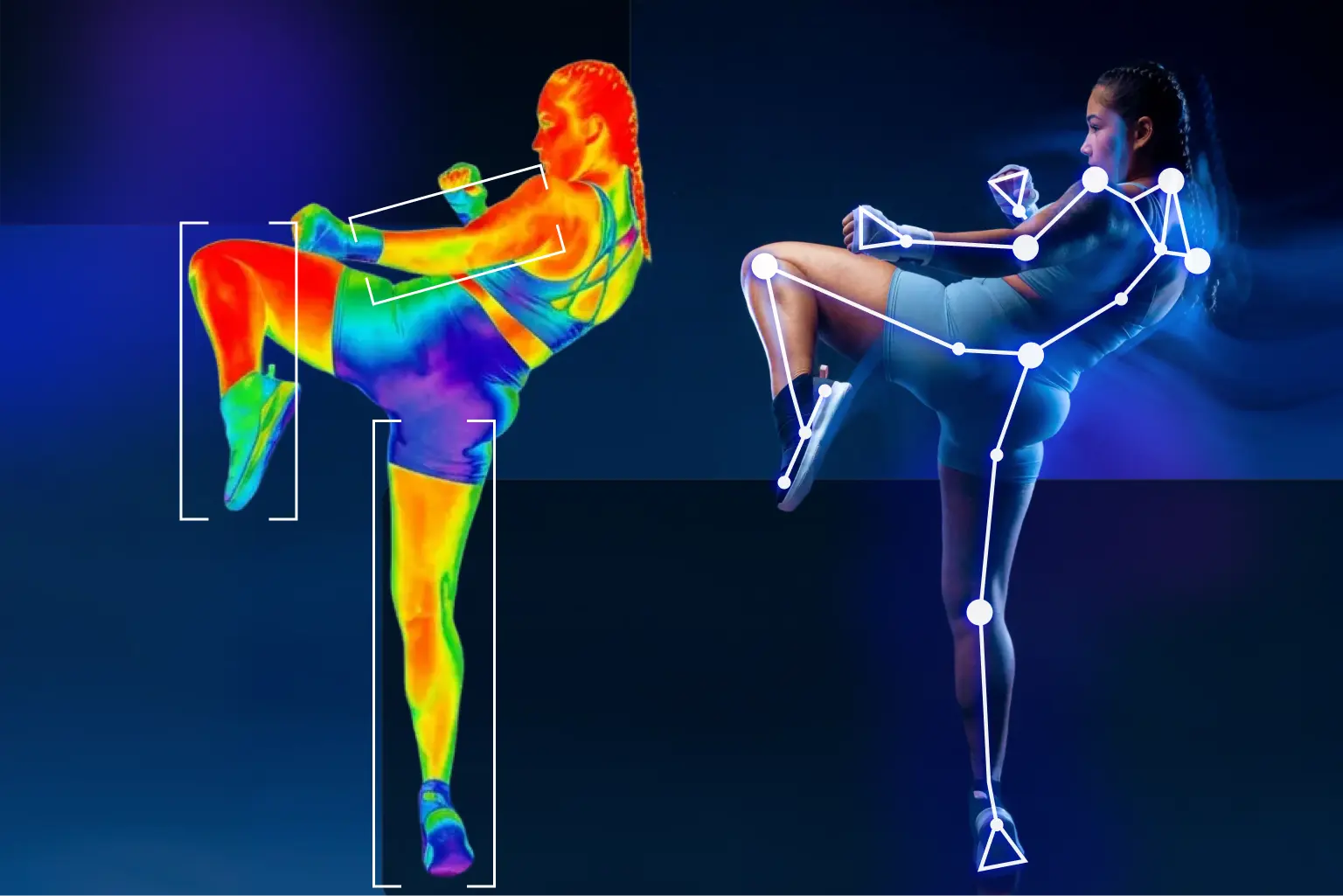
Using just smartphone video, pose estimation software can turn visual input into a detailed map of joint movement without expensive motion capture labs. This opens up scalable applications in sports performance tracking, enabling remote coaching, video analysis, and rehab monitoring.

Why Pose Estimation Matters for Sports Training

Pose-based video analysis enables:

  • Detailed Technique Analysis
    Coaches can see exactly how an athlete moves, such as knee angle during squats, arm swing symmetry, and hip extension. This enables targeted feedback and performance optimization.
  • Injury Risk Detection
    Pose tracking flags risky mechanics such as valgus knee movement and asymmetries that often precede injuries. This is critical for both elite athletes and youth programs.
  • Personalized Coaching and Rehab
    Training programs can be tailored to individual biomechanics. In rehab, pose-based tracking ensures symmetry and progress through recovery.
  • Progress You Can See
    Improvements in sprint angles, stroke straightness, or jump technique can be quantified and tracked over time, motivating athletes to train smarter, not just harder.
  • Remote and Scalable Coaching
    Athletes can record practice on their phone, receive pose-driven feedback, and compare their form to elite models without requiring an in-person session.

Pose estimation complements wearables. Together, they deliver a 360-degree view of athlete performance.

Core Features of a Sports Performance Tracking App

Let’s break down what goes into a successful sports analytics software solution.

Key Features

  • Video Capture and Upload
    Easy-to-use camera interface with guidance for framing athletic movement.
  • Pose Estimation and Metrics Extraction
    AI analyzes frames for biomechanical data such as knee angles, stride symmetry, and joint velocities.
  • Visualization and Feedback
    Skeleton overlays, comparison videos, angle charts, and coach-style feedback like “Your landing angle is 12 degrees below optimal.”
  • Session History and Tracking
    Progress tracking over time is ideal for athletes and coaches measuring training impact.
  • Multi-Athlete Coaching Interfaces
    For teams or training platforms, coach dashboards allow reviewing, commenting, and planning across users.

Tech Stack Considerations

  • Pose Estimation Engine
    MediaPipe is a popular choice for MVPs thanks to efficient on-device inference. 
  • Mobile App Development
    Native iOS and Android apps offer tight performance, but cross-platform tools like Flutter or React Native are also viable depending on the team.
  • Backend Infrastructure
    Cloud services such as Firebase support user management, video uploads, and session history. For heavier analysis or multi-angle processing, cloud-based inference pipelines using GPUs can be deployed alongside mobile apps.
  • Post-Processing Logic
    Jitter filtering, confidence gating, and biomechanics-driven insights are essential for user trust.
  • Front-End Visualization
    Clean, intuitive UI for displaying movement metrics, skeleton overlays, and progress graphs is key to user adoption.

What Strong Apps Do Differently in Sports Analytics

Apps that succeed in the market tend to:

  • Prioritize post-processing and biomechanics, not just raw pose data.
  • Implement sport-specific insights, going beyond generic joint tracking.
  • Handle real-world camera variability including occlusion, angles, equipment, and lighting conditions gracefully.

Top developers understand that pose detection is infrastructure. The real value lies in the insight layer built on top.

Strategy: From MVP to Custom Models

A smart development path:

  1. Start with MediaPipe to validate product-market fit.
  2. Test real-world video conditions such as occlusion, body type variance, and sports equipment.
  3. Replace components as needed with custom-trained models or cloud inference once requirements mature.

Out-of-the-box tools like MediaPipe work best for:

  • Single subject in frame
  • Controlled camera distance and angle
  • Minimal occlusion

They struggle with:

  • Sports involving gear such as bats or rackets
  • Partial-body or first-person inputs
  • Medical-grade accuracy or neuro assessments

When you’re ready to scale beyond MVP, consult our MediaPipe Tech Review to understand performance trade-offs.

Choosing the Right Sports App Development Company

If you’re planning to build a next-generation sports analytics software app, choose a sports app development company with:

  • Mobile deployment expertise with strong performance on iOS
  • Computer vision and machine learning capabilities
  • A track record converting noisy pose data into clean, actionable feedback

Whether your application demands lightweight edge processing on mobile or high-fidelity, multi-angle analysis in the cloud, your development partner should be equipped to handle both extremes.

The biggest challenge is not pose detection but creating consistent, trusted insights from variable video environments. That is why domain expertise and real-world UX testing are essential.

To explore our solutions, check out our full offering on the Sports Industry Page.

Final Thoughts

Pose estimation shifts the focus from activity tracking to true movement understanding. For startups, coaches, and sports tech brands, it enables scalable coaching, personalized feedback, and smarter training apps.

Whether you’re launching a niche product or building the next big coaching platform, combining pose estimation with biomechanics intelligence and mobile UX is your ticket to standing out.

Now is the time for fitness innovators and sports app developers to move beyond smartwatches and into the era of AI-enhanced sports performance tracking.