Fanaty
Computer Vision
Sports Tech
A C++ stitcher that joins two sideline cameras into one full-pitch 4K panorama at 30 FPS on a CPU, after a consultation that made Fanaty’s processing eight times faster.

Canadian hockey-streaming startup
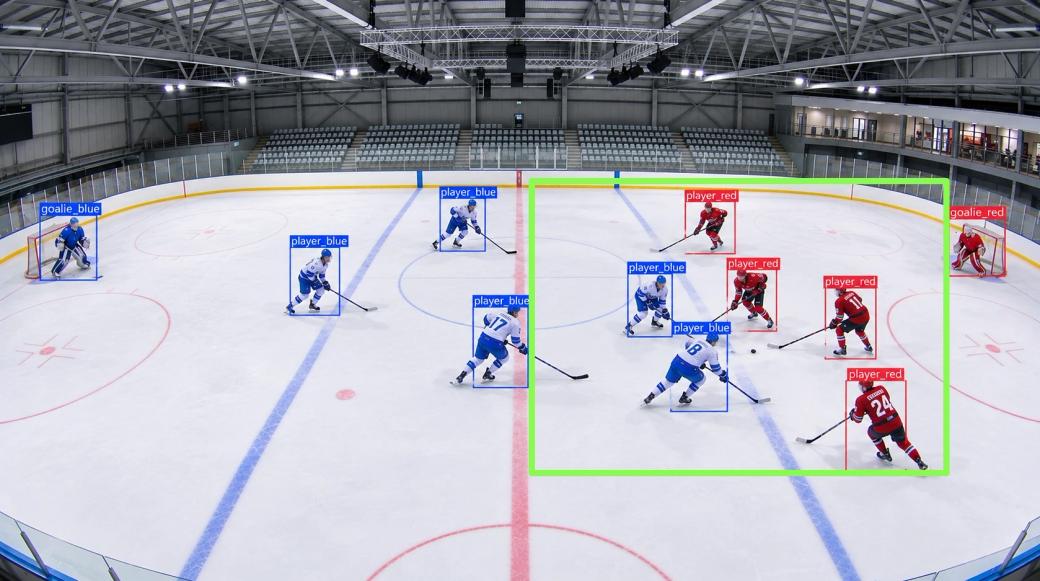
For a Canadian startup that streams amateur hockey, we built player tracking and a virtual camera that frame a live game from fixed cameras, with no one filming and no moving parts. The rebuilt tracker is nearly 3× faster, and the full chain fits a 30 ms frame budget on ordinary hardware.
In short
Amateur hockey is worth streaming only if it is worth watching. A fixed wide shot of the rink is cheap but dull: players are small, and the play sits in one corner. Amateur games have no camera operator, so the framing had to come from software.
For a Canadian startup that streamed amateur and youth hockey from cameras fixed in rinks, two It-Jim engineers built the computer vision that does the operator’s job. It finds every player on the ice, works out where the play is, and moves a virtual camera there smoothly, live. Everything had to finish within about 30 ms per frame on ordinary hardware. After profiling the whole chain, we rebuilt the tracker to run nearly 3× faster, and a whole live game now runs on one desktop per rink.
Send us a few game recordings. In two weeks we tell you what can be detected and tracked reliably on your footage and your hardware, and what full development would take.
About the client
The client was a Canadian startup that streamed amateur and youth sports, hockey first, from cameras installed in rinks. Parents, players and coaches watched games live or on demand.
The business could only grow if each rink ran on its own: a camera on the wall, a stream to the viewers, and nobody in the stands filming.
Main challenges the customer faced
A camera that shows the whole rink is cheap, and dull to watch: players are small and half the ice is empty. Amateur games have no camera operator.
The client needed a view that follows the play, made by software from the fixed cameras, for every game at every rink.
The client ran the system on more than one kind of machine. The code had to work CPU-only and with an NVIDIA GPU, and read and write live video streams as well as files.
What we did
Each stage closed with a written report and a working build, and each started from what the previous report showed.
Solution
Why it matters: the camera can only follow the play if it knows where every player is, in real time, on ordinary hardware. If it reacts to people on the bench or in the stands, viewers watch the crowd instead of the game.
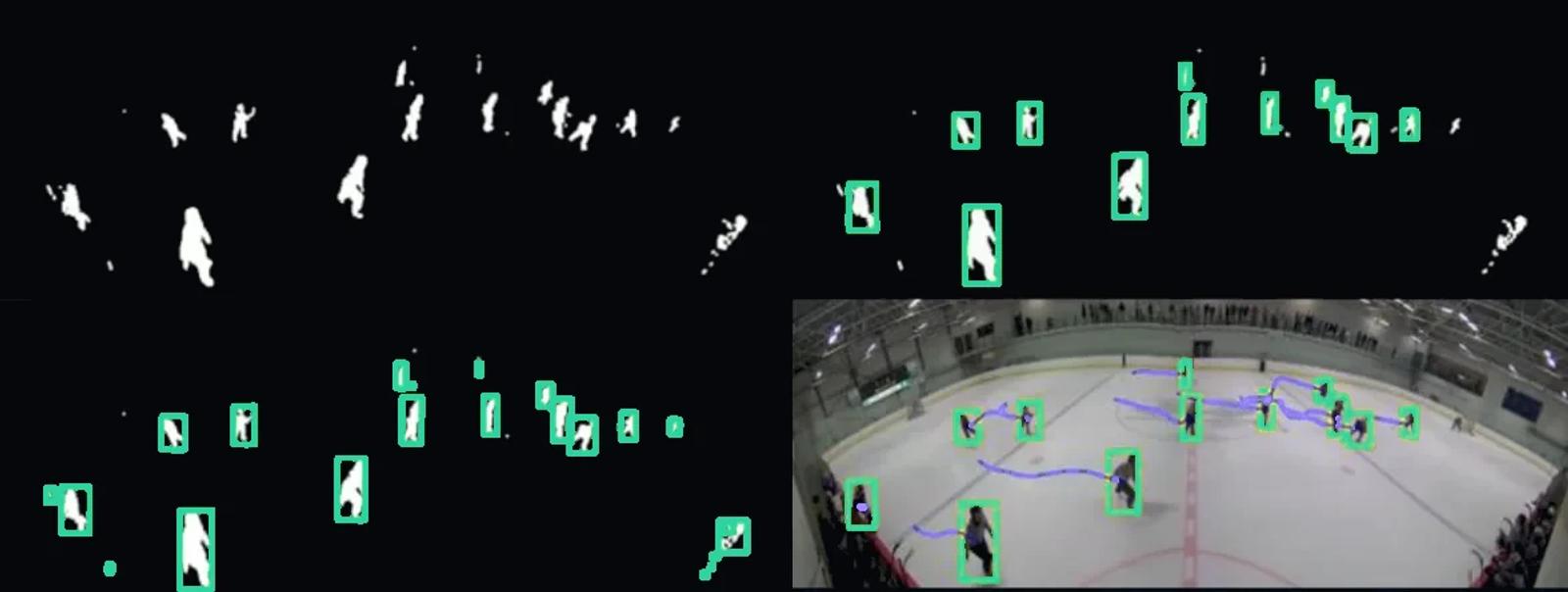
Before looking for players, the system masks out everything that isn’t the playing surface. The mask is drawn by hand in the setup tool or found automatically from the colour of the ice, once per rink.
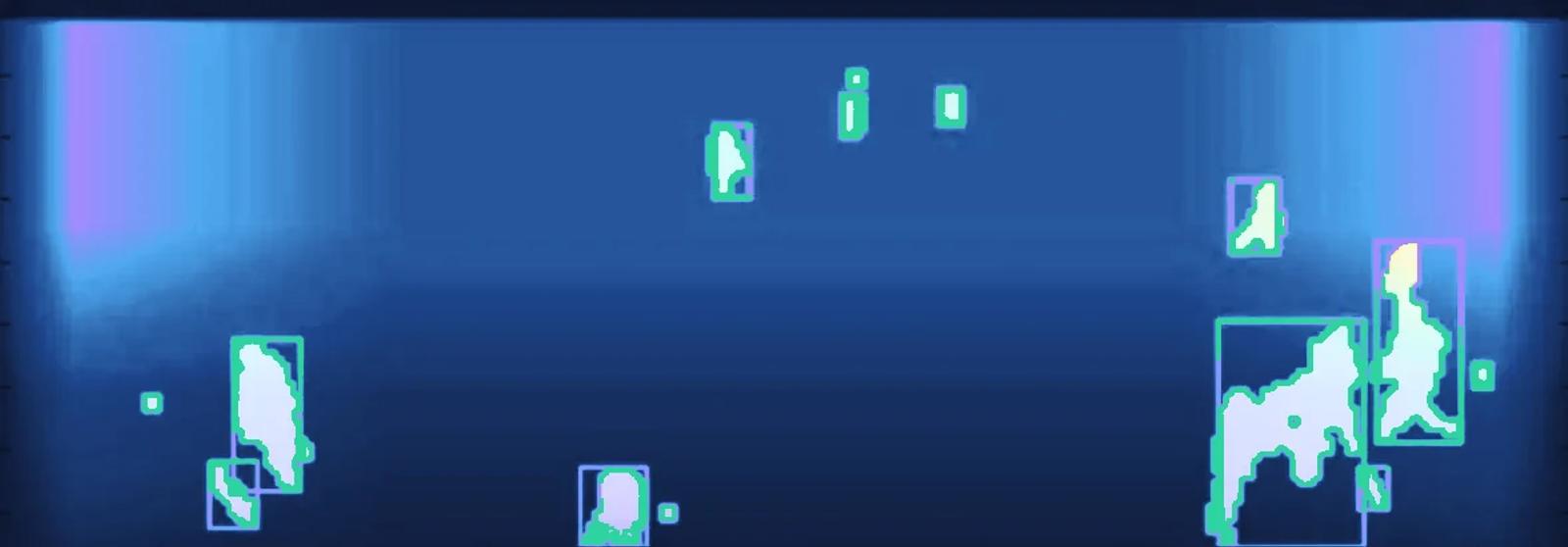
Rink lighting stays the same through a game, so the empty ice works as a stable background. The detector compares each frame with it and keeps what changed. Players are darker than the ice, so a one-sided comparison is both faster and cleaner. Shapes are then filtered by size and fill, scaled by their place on the ice, because a far player looks smaller than a near one.
Solution
Why it matters: false detections make the camera twitch, and lost players make it miss the play. This is the step that frames the game for the viewer.
Each player becomes a track. A new track counts only after it is confirmed on 30 frames in a row, and a track is dropped after 10 frames with no match, so a passing shadow never moves the camera. An alpha-beta filter smooths each track and predicts where the player goes next. When players pass close to each other, tracks are matched by how much their boxes overlap, strongest match first.
The system then groups players into clusters and weighs each one. A small cluster far from the action is dropped when that makes the frame much tighter, so one player skating to the bench doesn’t widen the shot. The frame keeps its aspect ratio, stays within the zoom limits and never leaves the rink.
A camera controller smooths the frame over time and predicts its next position, so the view pans like an operator’s and holds steady through a quick pass.
Only players on the ice can move the camera.
A passing shadow is dropped before it can jerk the camera.
One player heading to the bench does not widen the shot.
Solution
Why it matters: two cameras joined badly show a seam exactly where the play crosses.
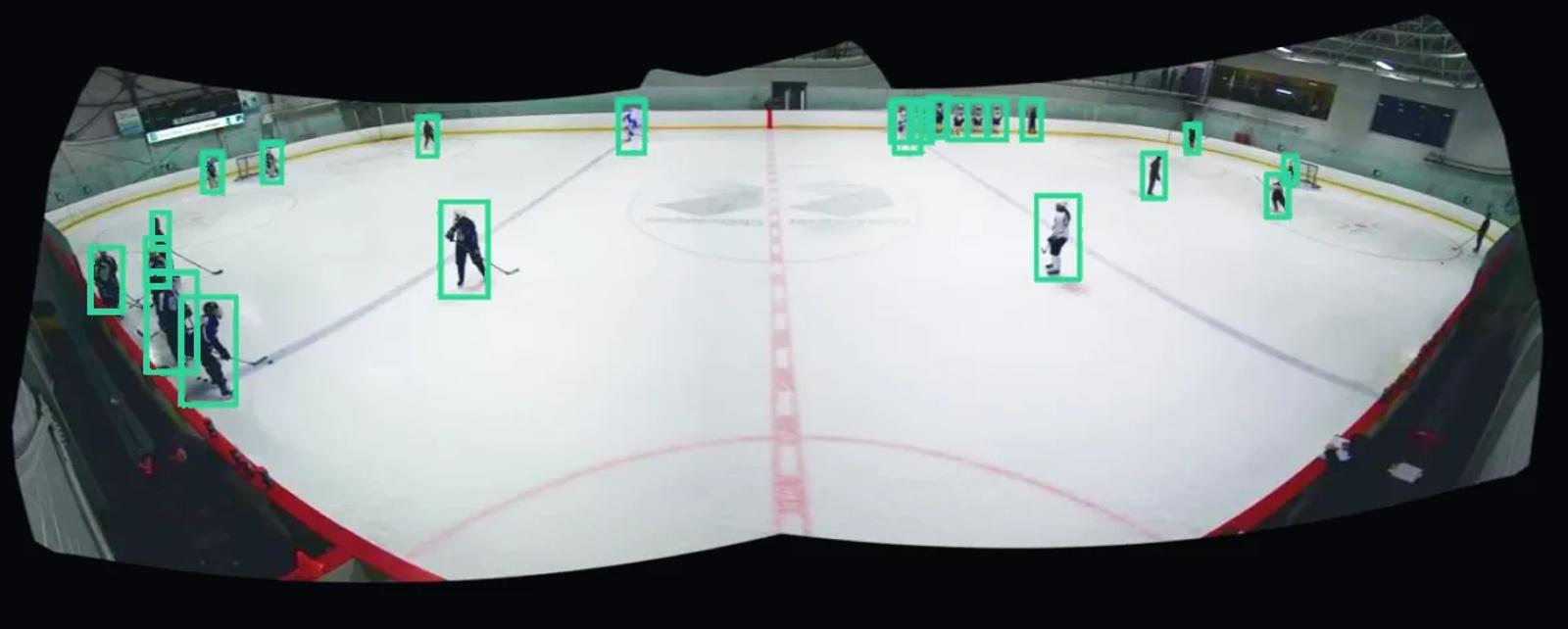
The stitcher joins two wide-angle cameras into one panorama of up to 180°. Version 1 needed a calibration and several manual steps per camera. Version 2 needs only 4 to 10 matching point pairs, set in a GUI, and computes the rotation between the cameras automatically. Spherical, cylindrical and flat projections can be compared on the spot. The setup is done once per rink.
Solution
Why it matters: a tracker that keeps up on a test file can still fall behind on a real game, and viewers notice a stall at once.
We profiled the whole application on a live game stream: CPU-only and with CUDA, with software decoding and with the NVIDIA hardware decoder. One finding shaped the rest: on large frames, copying images between the CPU and the GPU took more GPU time than the image processing itself.
We rebuilt the tracker and the camera controller around what we found, moved colour conversion to a faster library, and made every stage configurable with a debug view. The application reads one live stream and sends out two: the panorama and the tracked camera view.
Key results
A live stream leaves about 30 ms per frame for everything. We measured the tracker, the full chain and the load on a desktop.
The new tracker runs nearly 3× faster on average and 4× faster on its slowest frames. Busy moments near the net no longer eat the frame budget, and the rest of it is left for decoding and streaming.
On the same laptop and recording, the full chain took about 24 ms per frame on average: video decoding about 16.8 ms, colour conversion about 2.5 ms, tracking 4.6 ms. That is inside the 30 ms budget of a live stream, with room to spare. Measured CPU-only on an older laptop with an Intel Core i7-3630QM, on a recorded game.
On a desktop with a GeForce GTX 1060, on a live game stream, the whole application used about 1.2 CPU cores and about 1 GB of RAM with tracking on, measured with the system monitor and nvidia-smi. Our own code used about 200 MB of GPU memory; the rest belonged to NVIDIA’s hardware decoder and encoder.
For the business, that means no special rig per rink: one mid-range desktop carries a whole game.
The rink mask and the panorama are configured in a GUI once per installation, by the client’s team. After that, every game is framed by itself. The client doesn’t need us to open a rink, so it can add rinks as fast as it installs cameras.
Business results
A business like this grows by the number of rinks it covers. With the framing automatic and the setup in the client’s hands, a new rink takes a camera, a desktop and one setup.
Features delivered
The technology we used

No vague promises. No pressure. Just a real conversation with our technical leadership to understand your needs and explore the best next steps.
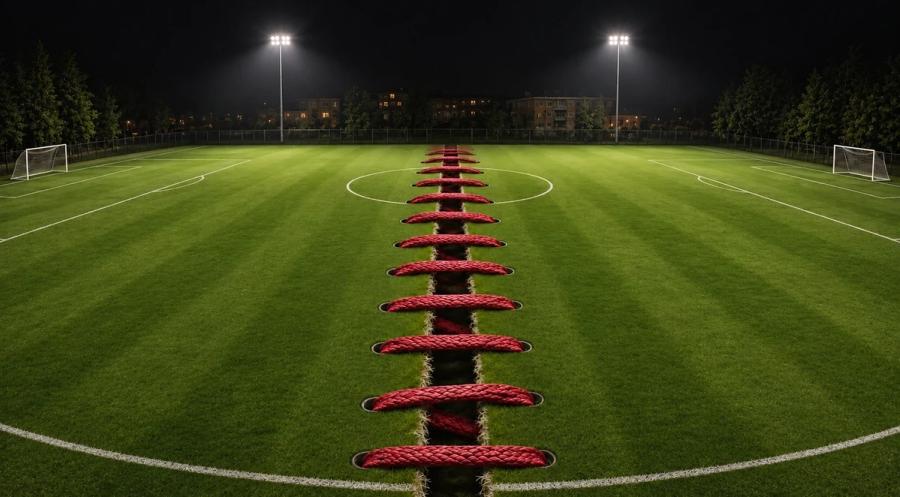
A C++ stitcher that joins two sideline cameras into one full-pitch 4K panorama at 30 FPS on a CPU, after a consultation that made Fanaty’s processing eight times faster.
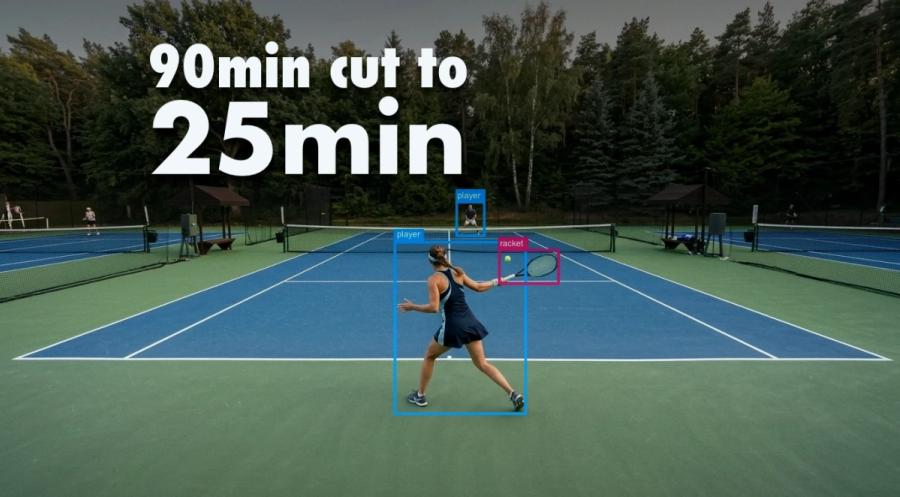
Computer vision that finds the rallies in amateur tennis matches and cuts the video by about 70%, on a cloud server with no GPU.
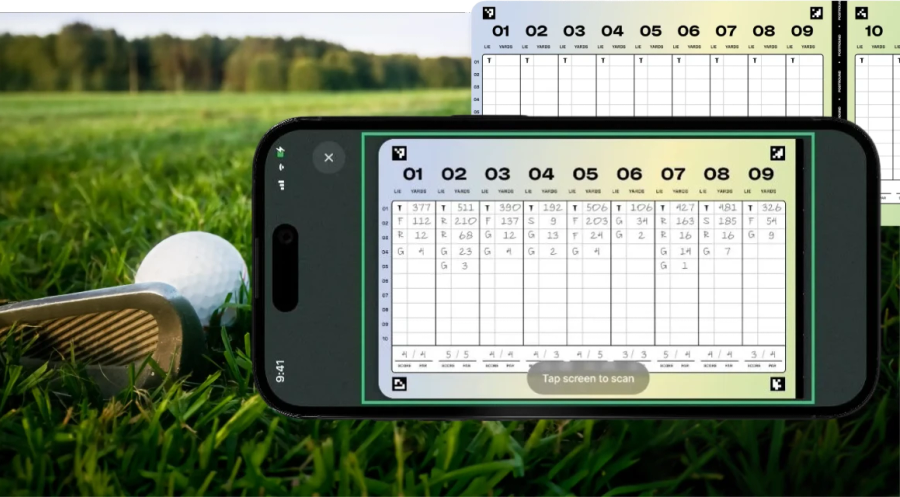
It-Jim built a cross-platform mobile app for Postround that detects and reads golf scorecards to keep player statistics

Hormone tracking application powered by Computer Vision with 93%+ accuracy in real-life conditions.