Apple on-device AI Development Services

The model ships inside your app. It works in airplane mode, and your users' photos and health data stay on their iPhone.

Wireframe hypercube

Run AI Models Directly on Apple Devices

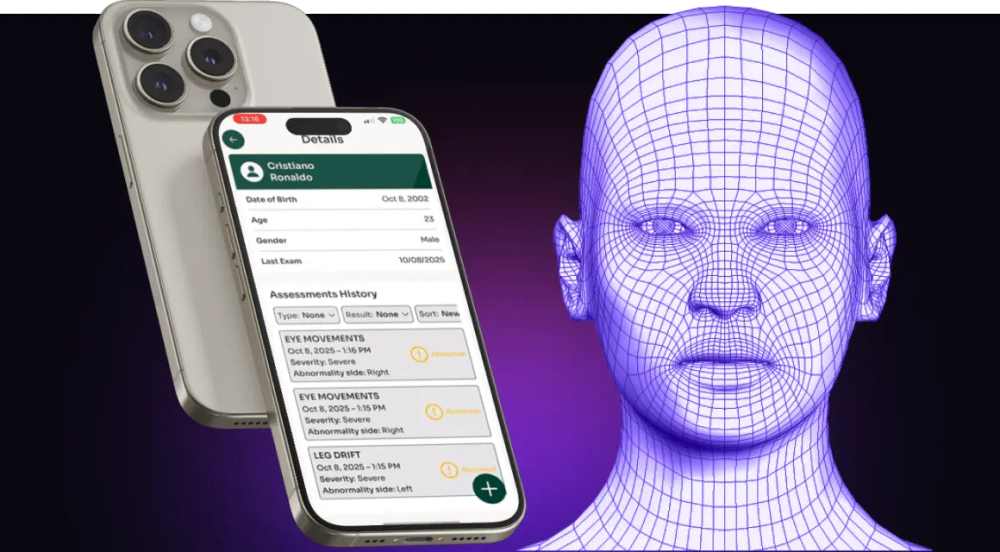
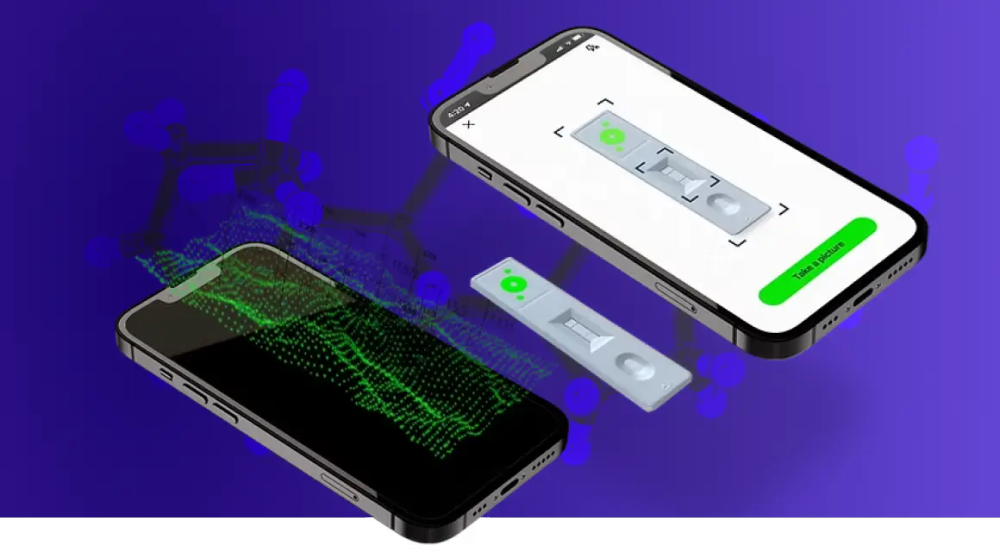
Apple on-device AI development services often get scoped as a conversion job: export the model, drop it into Xcode, ship. A model that loads is not yet a model that ships. Heat after ten minutes of camera use, a memory limit the OS enforces without warning, and layers that silently fall back from the Neural Engine to the CPU decide whether a feature survives a real session. We learned this building a cortisol test reader and a neurological assessment app that run entirely on iPhone, with medical data that never leaves the device. As an Apple on-device AI development company, It-Jim covers the whole path: capture through the camera, LiDAR, or TrueDepth sensor, the model trained for that input, its conversion to Apple formats, and the Swift code that puts the result on screen.

Our Apple on-device AI Development Services

Some teams come to us with a working cloud model and a server bill that grows with every new user. Others have an app idea and a question about what an iPhone can compute on its own, and our work in AI for iOS development covers both starting points.

  1. 01

    On-Device AI Model Development

    We train models for the device they will run on. Architecture choice starts from the operators the Neural Engine supports and the memory your app can spare. Quantization and palettization then shrink the model, and accuracy is re-measured on your data after every step.

  2. 02

    AI Model Integration for iOS Apps

    Our custom AI iOS app development services cover the part where a model becomes a feature: the Swift inference pipeline, camera and audio capture, threading, and the UI that shows the result. Inference runs off the main thread, so the app stays responsive while the model works.

  3. 03

    Computer Vision for iOS

    An iPhone carries a camera, a TrueDepth sensor, and on Pro models a LiDAR scanner, so the data a vision model needs is already in the user's hand. We build detection, segmentation, body tracking, and 3D measurement on these sensors, and use Apple's Vision framework where its built-in requests are enough.

  4. 04

    Generative AI for iOS Apps

    Apple on-device AI now includes a language model any app can call through the Foundation Models framework, with image input, guided generation, and tool calling. Where it falls short for your domain, we deploy an open-weight small language model through Core AI or MLX, and prompts stay on the device either way.

  5. 05

    Speech and Audio AI for iOS

    Audio is often the most private thing a phone records. We build transcription, sound classification, pitch and rhythm analysis, and voice processing that run in real time with no network call. Apple's SpeechAnalyzer handles general dictation; custom models take over for children's speech, heavy accents, noisy rooms, and music.

  6. 06

    AI + AR Experiences

    ARKit knows where the phone is; a custom model knows what it is looking at. We combine the two for room measurement, object placement, and 3D capture with LiDAR, where AR anchors the content and the model supplies the understanding.

  7. 07

    Core ML to Core AI Migration

    At WWDC 2026 Apple introduced Core AI as the successor to Core ML for neural networks. We convert PyTorch models to the new format and move existing Core ML models where the upgrade pays off, which is also the moment to fix layers that never ran on the Neural Engine.

IOS AI Solutions We Build

Every app below does its main work on the phone, with the network as an option rather than a dependency. That constraint shapes each design from the first prototype.

01

AI-Powered Computer Vision Apps

A phone camera becomes a measuring instrument once a model reads what it sees. We build apps that detect, count, read, and measure from live video, with the answer on screen before the user lowers the phone.

Use cases
  • Reading printed and handwritten text from photos
  • Counting and sizing objects from the camera feed
  • Reading test strips and indicators under mixed lighting

Ideal forHealthcare, Logistics, Manufacturing, Sports

02

AI-Powered Healthcare & Wellness Apps

In AI for iOS app development, health data is the strongest argument for on-device inference: nothing uploaded means less to secure and less to explain in a HIPAA or GDPR review. Both of our published medical apps run their analysis fully on iPhone.

Use cases
  • Test strip and rapid diagnostic reading
  • Movement, gait, and eye movement assessment
  • Heart rate and breathing estimated from camera video

Ideal forHealthcare, Wellness, MedTech, Fitness

03

Voice & Audio AI Apps

Users notice a delay of a fraction of a second when they are speaking or playing an instrument. We process audio as it arrives, with models sized for continuous use that don't drain the battery.

Use cases
  • Pronunciation feedback for language learning and speech therapy
  • Pitch, tempo, and chord detection for music practice apps
  • Offline dictation and meeting notes

Ideal forEdTech, Music, Healthcare, Media

04

AI for Sports & Coaching

Feedback only helps while the athlete still remembers the movement. We run pose estimation and ball or player tracking on a phone at the side of the court, and a tennis coaching tool we built on this approach cuts session video by 70%.

Use cases
  • Technique analysis from a single phone camera
  • Automatic highlight clips from full sessions
  • Rep counting and form checks in fitness apps

Ideal forSports, Fitness, Media, EdTech

05

AI for Construction & Field Operations

Field teams work in basements, on roofs, and far from reliable coverage. We build apps that turn the LiDAR scanner and camera of an iPhone Pro into a measuring tool that keeps working without signal.

Use cases
  • Room measurement and floor plans from a LiDAR scan
  • Detecting windows, radiators, and skylights during inspection
  • Offline defect logging with photos and dimensions

Ideal forConstruction, Real Estate, Energy, Insurance

06

AI for Retail & Merchandising

A store associate with an iPhone can audit a shelf faster than a fixed camera installation can be approved. AI for iOS app development in retail means product recognition, planogram checks, and a quick scan that becomes structured catalogue data.

Use cases
  • Shelf scanning and planogram compliance
  • Product digitization into 3D models with LiDAR
  • Price tag and label reading

Ideal forRetail, Consumer Goods, Logistics, E-commerce

07

AI for Entertainment & AR

Real-time body and hand tracking turn the camera into a controller. We build effects, avatars, and interactive overlays that react within a frame, with models small enough to leave headroom for rendering.

Use cases
  • Body and gesture-driven effects and games
  • Avatar animation from camera motion
  • AR scenes anchored to real rooms

Ideal forMedia, Gaming, Music, Social Apps

Can't Find the Solution You Need?

Maybe you're testing whether a feature can run on an iPhone at all; maybe your cloud model has become too expensive to serve. One conversation with our engineers will show which parts belong on the device.

Why Build AI On-Device Instead of in the Cloud?

On an iPhone the choice is rarely about raw compute. The Neural Engine and the GPU in recent Apple silicon run most vision and audio models in real time; the cloud adds capacity for the largest models and central control over updates.

On-Device AI vs Cloud AI on Apple Devices

FactorOn-deviceCloud
LatencyMilliseconds, no network hopRound trip, varies with signal
Offline useWorks in airplane modeNeeds connectivity
PrivacyRaw data stays on the deviceData leaves the device
Cost per userNothing per inferenceGrows with every request
Model sizeBounded by device memoryEffectively unbounded
UpdatesShip with the app or download on demandChange once, on the server

Why the Split Between Device and Cloud Decides the Product

Put a model that needs server-class memory on the phone, and it crashes on older iPhones or heats the device until iOS throttles it. Keep a real-time feature in the cloud, and it lags on every weak connection and costs money on every call. Most apps we build split the work: live camera and audio inference on the device, heavy generation and retraining on the server. In AI for iOS development, drawing that line early is the cheapest decision in the project.

Apple On-Device AI Development Process

Most iOS AI solutions development services start once the model is picked and the screens are designed. We start with the devices your users actually own, and stay after launch, when new iPhones and iOS releases change what the hardware can do.

  1. Stage 1

    Use Case & Device Feasibility Analysis

  2. Stage 2

    Sensor & Capture Setup

  3. Stage 3

    Data Collection & Preparation

  4. Stage 4

    Model Development & Optimization

  5. Stage 5

    iOS Integration & On-Device Testing

  6. Stage 6

    Post-Launch Updates & MLOps

Technologies We Use for On-Device AI

Swift and SwiftUI
PyTorch
ONNX
Core AI
Core ML
Core ML Tools
Foundation Models framework
MLX
Metal and Metal Performance Shaders
Create ML
Quantization and Palettization
Knowledge Distillation
Instruments Profiling
Vision framework
Speech and SpeechAnalyzer
Sound Analysis
Natural Language
AVFoundation
ARKit
RealityKit
RoomPlan
LiDAR and TrueDepth Depth Data

Why Choose It-Jim for Apple On-Device AI Development?

200+

projects delivered

Proven track record in AI development, including apps that run their models entirely on iPhone.

10+

years of expertise

A decade of machine learning, computer vision, and audio AI, deployed on phones, embedded boards, and servers.

  • Built by engineers, not hype

    Engineers founded this company and run it today. As an AI iOS app development company, we put mobile and ML engineers on one team, so no model gets handed over a wall.

  • Problem-Solving Obsession

    The projects other teams turn down are the ones we ask for. A model too large for the Neural Engine or a sensor Apple's APIs barely expose means the problem is finally interesting.

  • PhDs on the Team

    Our team comes from academia, with advanced degrees in computer vision, signal processing, and physics. When a model loses accuracy after compression and no tutorial explains why, that depth is what finds the cause.

  • Innovation-Ready Mindset

    We treat every project as applied research, which shows in how fast our prototypes appear. New Apple frameworks get tested on real models early, so your roadmap can plan around them.

iOS AI Solutions We’ve Delivered for Our Clients

Choose the Best Cooperation Model

Committing to a full build on day one rarely makes sense, and our engagement models reflect that. Each format of our computer vision software development services matches a different stage of certainty, from the first question to a live product.

Need help deciding where to start?

  1. Step 1

    Strategic Consultation

    Quick, high-value sessions with our CEO or domain experts in computer vision, GenAI, or AI on edge development.

    You get
    • technical clarity
    • expert input
    • clear direction

    Best for: product teams, tech leads, or founders looking for fast answers before committing to development.

  2. Step 2

    Exploration & Technical Research

    A focused 2-week sprint to analyze your data and define a clear path to a Proof of Concept.

    You get
    • a technical report
    • concept architecture
    • an optional PoC roadmap
  3. Step 3

    Proof of Concept (PoC)

    A 2-3 month build of a functional demo tailored to your task and environment.

    You get
    • working prototype
    • validation of idea
    • delivery without risks

    Best for: startups, R&D teams, or innovation units validating a use case before scaling.

  4. Step 4

    Full Product or MVP

    We develop the complete system – from front‑end to back‑end to the custom computer vision core.

    You get
    • a deployable product
    • built for real users
  5. Step 5

    Post-Launch Optimization

    We help you refine, scale, and expand your solution across platforms and hardware.

    You get
    • smarter integrations
    • tuned performance
    • deployment across real-world hardware

    Best for: businesses evolving their AI product or preparing it for broader use in real environments.

Industries we Serve

Different industries point cameras at very different problems, and the ones below are where our systems work most often. Find yours to see what visual data can do for it.

Support non-invasive assessment and monitoring across mobile, clinical, and remote care.

  • Analyze movement and gait for neurology and rehabilitation
  • Estimate heart rate and other vital signs from video
  • Read test strips and rapid diagnostics via smartphone
  • Run anomaly detection in medical imaging before a specialist review

Frequently

Asked

Questions

It is the engineering of AI features that run on the iPhone, iPad, Mac, or Vision Pro itself instead of on a remote server. The work covers the model, its conversion to Apple formats such as Core ML or Core AI, and the app code around it. We handle all three, so the feature gets tested on the oldest iPhone you support as well as the newest.

Yes. Once the model ships inside the app or downloads on first launch, inference needs no connection. Apple's own vision and speech frameworks and the on-device Foundation Models language model also run offline; only features that call server models need a network.

Yes, and most of our iOS projects start this way. As an Apple on-device AI development company, we build the AI feature as a separate module with a small interface, so your team keeps ownership of the app and the rest of the codebase stays as it is.

Custom models converted to Core ML run on iPhones several generations back, with speed set by the Neural Engine in each chip. Apple's on-device Foundation Models need an Apple Intelligence device: iPhone 15 Pro or later, and iPads and Macs with M1 or later. Core AI arrives with iOS 27, so apps that support older iOS versions keep a Core ML path alongside it.

A technical research sprint takes two weeks, and a proof of concept takes two to three months. Full apps vary with scope, but you'll know the timeline before development starts.

Cost depends on scope, which is why we offer entry points of different sizes. A consultation costs a fraction of a full build, and a two-week research sprint prices the rest of the project before you commit to it. Contact us with your task, and you'll get a concrete estimate.

Let's Talk About Your Project!

Have a challenge in mind or just exploring? Talk directly with an engineer. No pitch. No fluff.

Tell us about your project
Chat on WhatsApp
File upload (optional, up to 15 MB)

By submitting this form, you agree with our Privacy Policy

What Happens Next?
  1. Your message goes straight to our core team – not a sales department.
  2. You’ll talk directly with our CEO, CTO, or a domain expert for a consultation-style first call.
  3. We’ll ask the right technical questions to understand your challenge and scope.
  4. If we’re a fit, we’ll follow up with a proposed path forward.